Redirect Security Cloud Control to an On-Premises Firewall Management Center
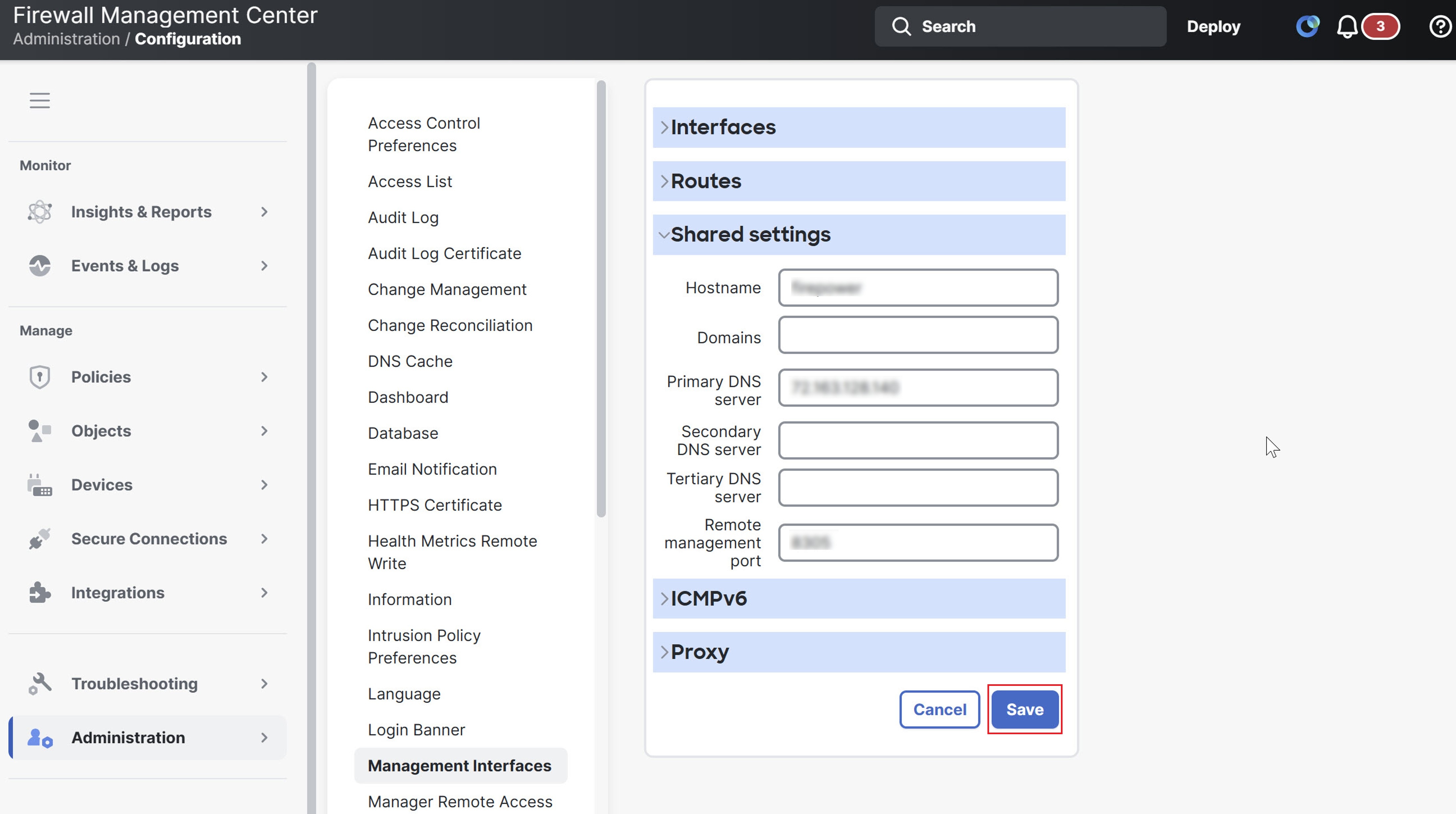
After you onboard an On-Premises Firewall Management Center to Security Cloud Control, update the management interface's hostname in the On-Premises Firewall Management Center UI so that it contains the FQDN. If you do not update the management interface's hostname, you cannot cross-launch from Security Cloud Control.
Use this procedure to update the management interface hostname and redirect from Security Cloud Control to On-Premises Firewall Management Center:
Procedure
Step 1 | Log in to the On-Premises Firewall Management Center UI. | ||
Step 2 | Choose . | ||
Step 3 | Click the Management Interfaces tab. | ||
Step 4 | Under Shared Settings, locate the Hostname field and enter the Firewall Management Center's FQDN. | ||
Step 5 | Click Save.
|